Guides / CAD craft · Published 2026-10-29
Lineweights: heavy cuts, light furniture, by layer
One lineweight everywhere makes a plan unreadable.
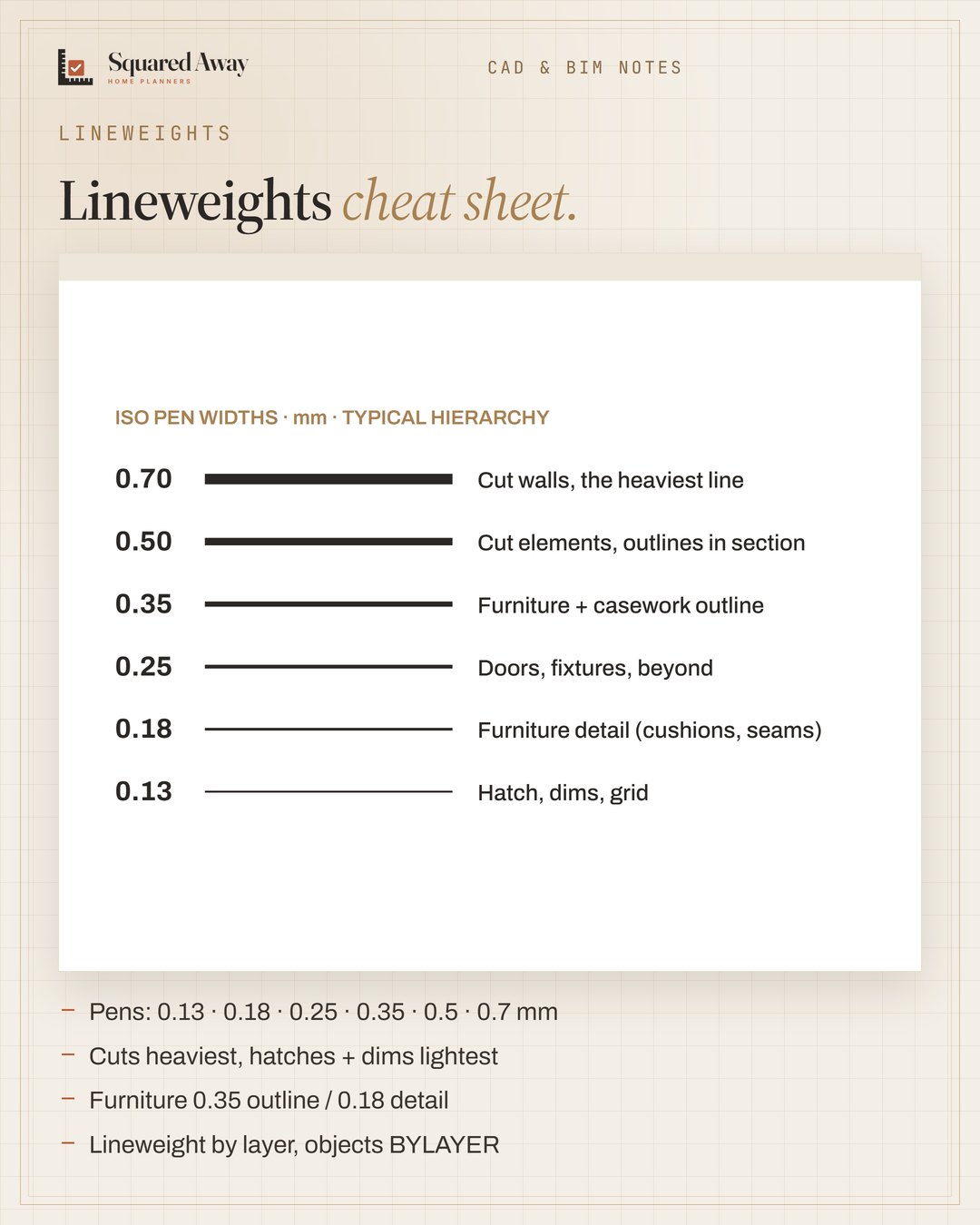
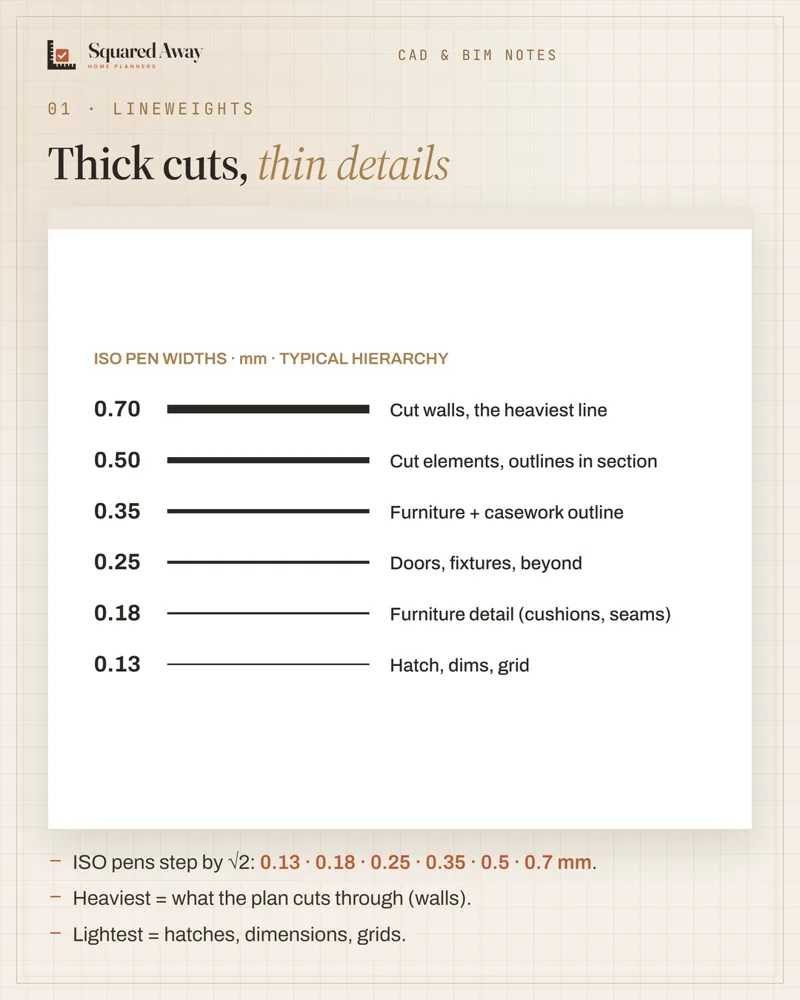
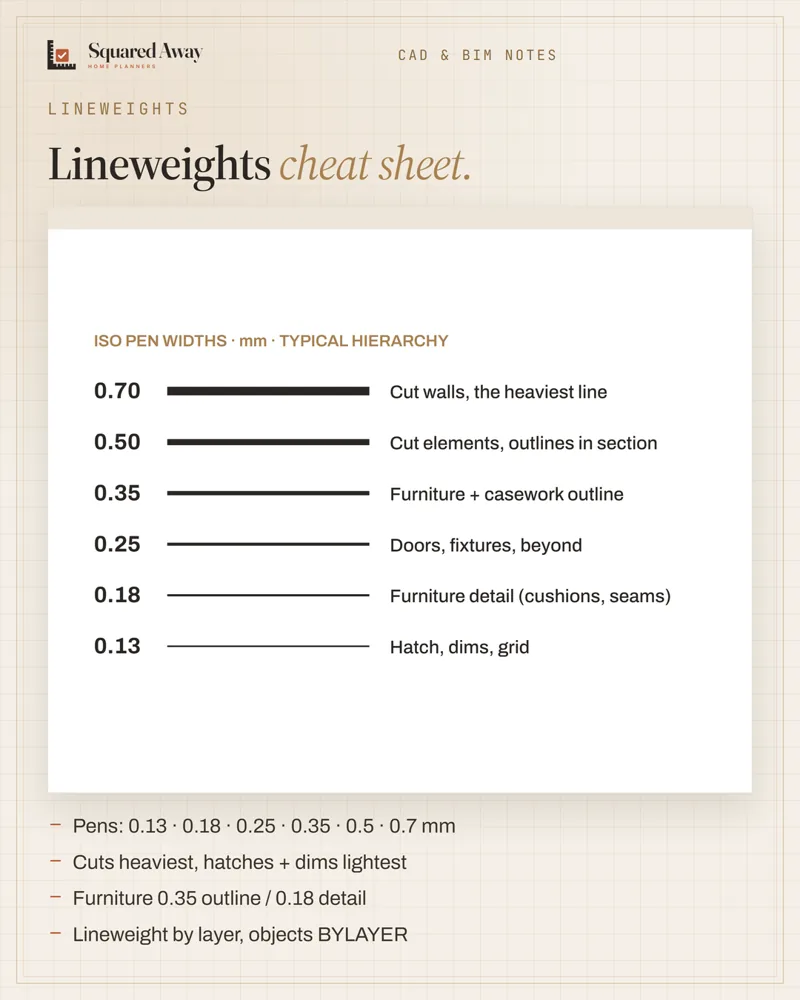
A printed plan reads at a glance when weight follows importance. Use the ISO pen steps (0.13, 0.18, 0.25, 0.35, 0.5, 0.7 mm): heaviest for what the plan cuts through, lightest for hatches, dimensions and grids. Furniture sits in the middle: 0.35 mm outline, 0.18 mm detail, clearances dashed on their own layer. Set lineweight by layer, keep objects BYLAYER, and pick one plot style type per drawing (CTB by colour or STB by name).
Put this to work.
Start with the free download, or get the full product.
Download freeSee the full productKeep reading
IFC in Revit: link to coordinate, open to take overCAD craft · 2026-11-01Block naming: group, type, size, units, every timeCAD craft · 2026-11-01Imperial vs metric kitchens: 24″ is not 600 mmCAD craft · 2026-10-31Ceiling heights: 7 ft rooms, 6′8″ baths, 5 ft on slopesBathroom · 2026-11-01Seating group: keep seats within 8 ft and float them off the wallLiving room · 2026-11-01Kitchen remodel timeline: plan first, then about 12 weeks on siteRenovation · 2026-11-01