Guides / CAD craft · Published 2026-10-30
Clearance layers: VP freeze them for client sets
Don't erase clearance blocks. Freeze them per viewport.
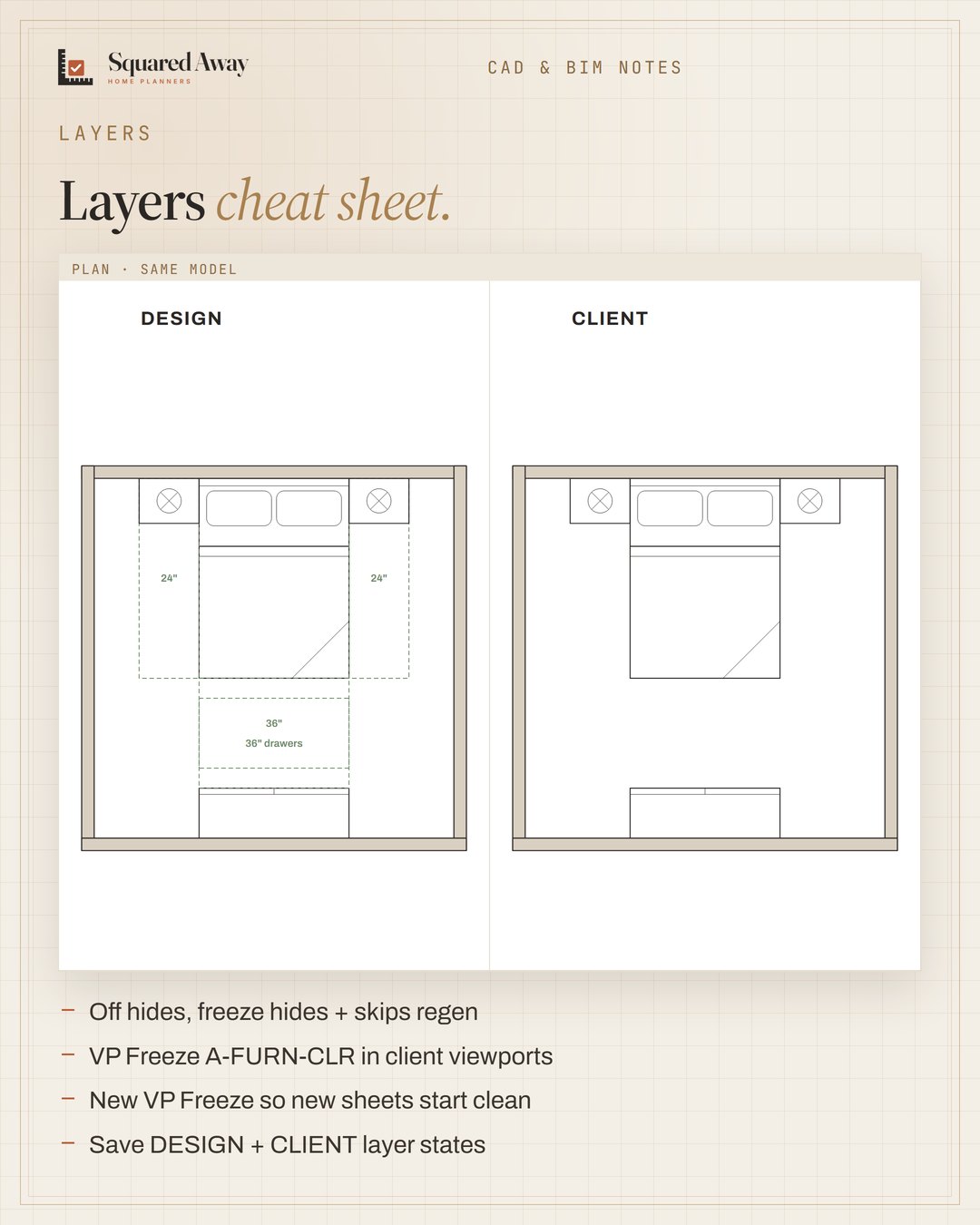
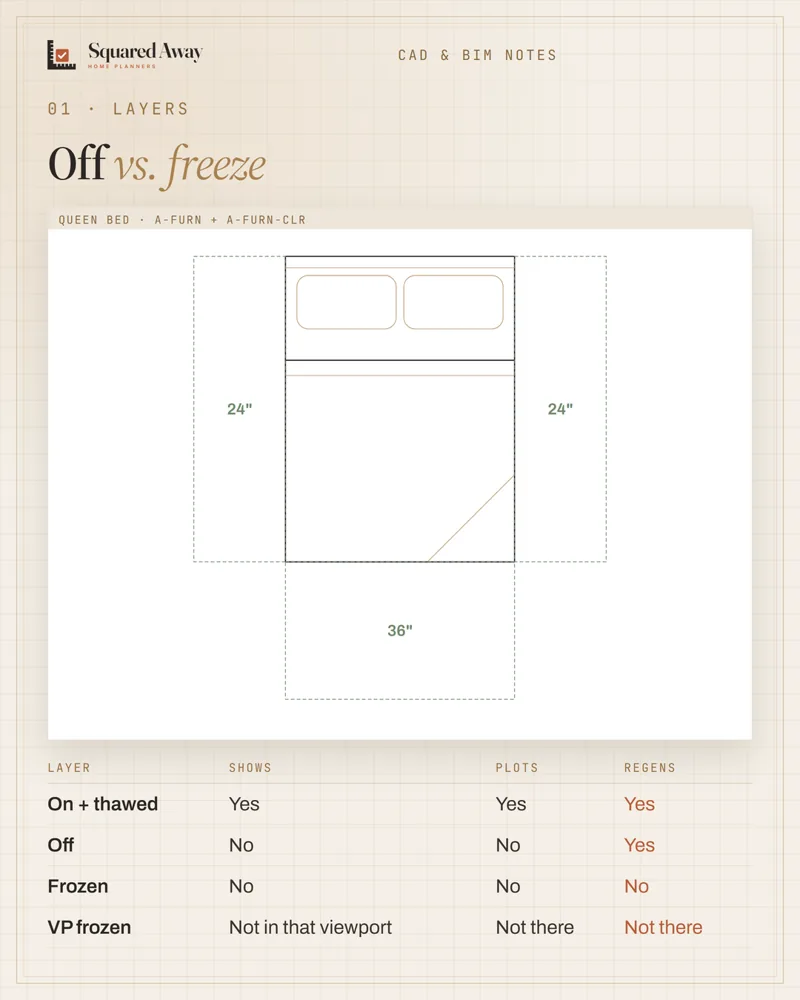
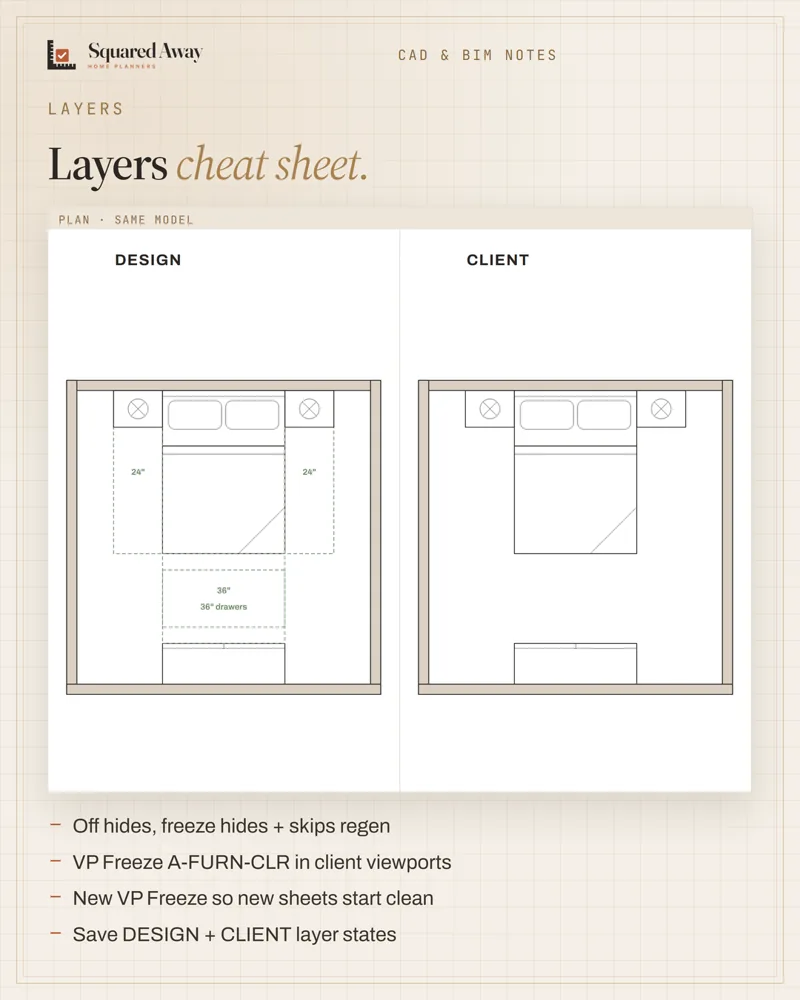
Clearance zones help you check a plan, but the client doesn't need them. Keep them on their own layer (A-FURN-CLR), then in the client viewport use VP Freeze in Layer Properties (or VPLAYER): the clearances disappear there and stay in model space and your design sheet. Set New VP Freeze on that layer so new viewports start clean, and save two layer states, DESIGN and CLIENT, to switch in one click. Off hides a layer; freeze hides it and skips it on regen.
Put this to work.
Start with the free download, or get the full product.
Download freeSee the full productKeep reading
IFC in Revit: link to coordinate, open to take overCAD craft · 2026-11-01Block naming: group, type, size, units, every timeCAD craft · 2026-11-01Imperial vs metric kitchens: 24″ is not 600 mmCAD craft · 2026-10-31Ceiling heights: 7 ft rooms, 6′8″ baths, 5 ft on slopesBathroom · 2026-11-01Seating group: keep seats within 8 ft and float them off the wallLiving room · 2026-11-01Kitchen remodel timeline: plan first, then about 12 weeks on siteRenovation · 2026-11-01